SpringBoot 开启 HTTP 2
本文内容已经过时或失效,仅当作存档使用
环境:
Java 17
SpringBoot 2.7.3
Spring Web
创建一个控制器来测试 Http2TestController
@RestController
public class Http2TestController {
    @GetMapping
    public String test() {
        return "Successfully";
    }
}
开启 HTTP/2 ,在 application.properties 添加
server.http2.enabled=true还需要配置 SSL 才能真正启用 HTTP/2
关于创建自签证书可以查看之前的文章《HTTPS双向认证》,最后将证书转换成 PKCS格式
openssl pkcs12 -export -in server.crt -inkey server.key -name localhost -out localhost.p12 -passout pass:123456完善 application.properties
# Tomcat Port
server.port=18443
server.address=localhost

# Enable HTTP/2
server.http2.enabled=true
# The format used for the keystore. It could be set to JKS in case it is a JKS file
server.ssl.key-store-type=PKCS12
# The path to the keystore containing the certificate
server.ssl.key-store=classpath:localhost.p12
# The password used to generate the certificate
server.ssl.key-store-password=123456
server.ssl.key-alias=localhost
在浏览器中测试: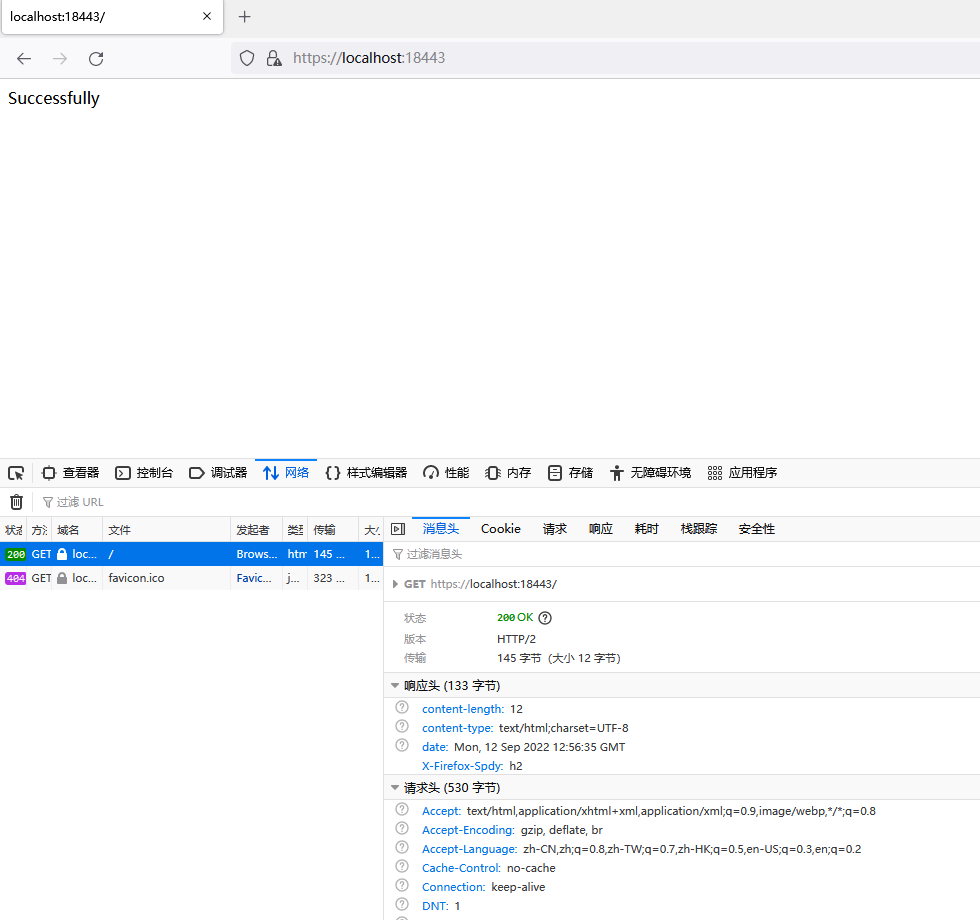
评论已关闭